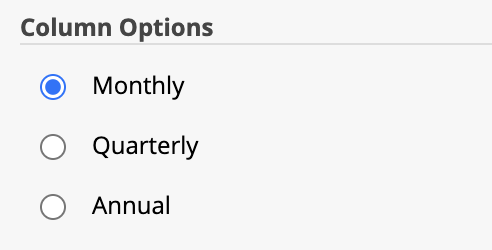
When working with the forecast report pages, the default setting is to show every month in the forecast. However if you prefer, you can report on a quarterly or annual basis.
Note: For all column options, the view of the page from the Customise Layout tab shows all columns continuously with a final total of all columns. To view the columns as they will appear on the final report, including a total for only the columns on each page, you can view the page on the Preview tab.
To change the column setting
From the Customise Layout tab, locate the page you want to amend then click Customise.
Click Show Settings, then select the required column option and click Update.
The column options
Monthly - The default setting for the reports. Each month of the forecast will be shown on the report individually.
If you use this column option, we recommend that you check the Display By setting to set how the months will appear on the report. For details about how this works, please refer to the following secton.
Quarterly - Displays the page on a quarterly basis. For the profit and loss and cash flow, each quarter is the total value. For the balance sheet, the value shown is the quarter end cumulative balance for each account.
If you use this column option, we recommend that you check the Display By setting to set how the quarters will appear on the report. For details about how this works, please refer to the following secton.
Annual - Shows each year in the forecast as an individual column. For the profit and loss and cash flow, each year is the full year total. For the balance sheet, the value shown is the year end cumulative balance for each account.
To set the Display By option
Note: This setting does not affect the display of Annual columns.
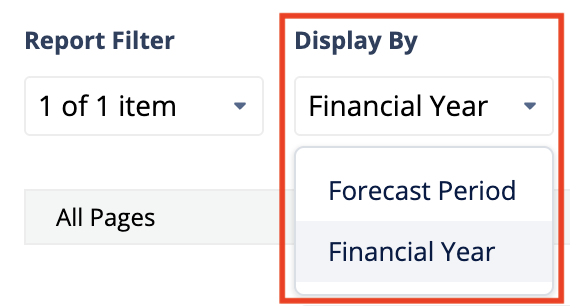
The Display By drop-down list within Customise Layout has two options, which affect how the columns are shown for a forecast covering more than one year.
Forecast Period
With this setting, each profit and loss, balance sheet or cashflow page begins with the first month of the forecast and then fits as many columns as possible on the page before showing a total.
Financial Year
With this setting, each profit and loss, balance sheet or cashflow page will separate each financial year onto a separate page. If the forecast begins or ends part way through a financial year, the first or last page may have fewer columns. This option is likely to be more suitable for a quarterly report.